

I want to tell you about the day one of my clients found $21,453.08 she didn't know she was missing. How we found it wasn't a fluke, and it wasn't luck. It was a direct result of fixing one of the two most common bookkeeping mistakes I see boutique owners make, specifically as it comes to recording your sales revenue.
Today I'm breaking down both of those mistakes, why they quietly cost you accuracy (and sometimes real money), and exactly what to do instead.
This post may contain affiliate links, which means I may earn a small commission if you make a purchase through them — at no extra cost to you. I only share products and tools I truly love and recommend!
Prefer to listen instead of read? Listen to the related podcast episode here, or find it on your favorite platform:
Common Bookkeeping Mistake #1: Recording Your Deposits as Your Sales Revenue
What that means is that any time your payment processor, like Shopify, makes a deposit into your bank account, you just categorize that deposit as “Sales,” so the full amount is reflected as Sales Revenue on your Income Statement.
This is the mistake I see most often. And I get why it happens. Logically, it makes sense. Your payout deposits ARE a direct result of your sales, so it feels natural to just categorize that deposit straight to a sales revenue account.
But the amount that lands in your bank account can actually reflect up to SIX different pieces of information all bundled together, and every single one of those pieces should REALLY be accounted for separately if you want an accurate picture of your money. So let's look a little closer at what those different pieces are….
First, you've got your gross sales, that's just the FULL retail price of what you sold. If your store policy allows it, you might also have a return that day that's used to reduce your overall gross sales
Then discounts your customer took, maybe a coupon code or a promotion knocked something down from that full retail price.
Then you have your transaction fees, which usually get pulled out before the deposit even hits your account, but they're still a deductible business expense you need to track separately.
Then there might be sales tax, which is NOT your income, by the way, it's the state's money, you're just the middleman collecting it and passing it along. So if you're including that sales tax in YOUR income, you're reporting a higher revenue than you need to.
And finally, part of that deposit might be shipping income if you operate an online boutique, which should be broken out separately from your product sales so you can easily compare it to your shipping costs, and keep it separate from your actual product costs.
But when you lump all of that together and call it “sales,” your Profit and Loss report stops matching your point-of-sale system, and you lose the ability to actually see your true margins, and you just miss so much of that detail in your books. PLUS you're likely overstating your revenue by any sales tax you collect, AND you're missing out on recording those deductible processing fees that are withheld from your payouts.
Common Bookkeeping Mistake #2: Using the Free Shopify or Square Integration in QuickBooks
If I don't see boutique owners making the first mistake, I generally see them making this second one. I just told you how each of your deposits contains all these different details, and this free integration CLAIMS it captures all of that for you. But I'm going to be blunt with you – It's not good.
It glitches constantly, it misses sales, and some days it duplicates transactions entirely. You end up spending way more time hunting down and fixing its mistakes than it would have taken you to just do it right in the first place. And often times, I've found that even if the boutique owner FINDS the mistake that happened, they don't really know how to fix it.
How to Check If Your Bookkeeping Is Accurate
If you've been using this integration, OR if you've been just recording your deposits as your sales, here's how you can check if your bookkeeping is accurate.
Look at the total revenue you've recorded in your bookkeeping. If you're in QuickBooks, pull up your Profit & Loss report for the year through the prior month. If you're in a spreadsheet, total up everything you've recorded as “Sales” for the year through the prior month.
Now, go into your point-of-sale system. If you're in Shopify, go to Analytics > Reports, find the Finance Summary Report, and run it from January 1st through the end of last month. If you're in Square, go to your Sales Summary report and run it the same way. If you're using a different POS and need help figuring out which report to run, feel free to reach out and I can try to help.
Now that you have your bookkeeping total and your point-of-sale report, compare the two. Ideally, they should match. Do yours?
My guess, if you've been making one of these two mistakes, they don't.
But here's the good news. You can fix it. Bookkeeping is fixable, so you don't need to be terrified of making mistakes. The key is having a way to actually FIND those mistakes so you can fix them. And since we just identified them, let's get them fixed.
The bad news is, if you're using a spreadsheet for your bookkeeping, this process isn't AS easy, unless you completely overhaul your spreadsheet. I do have a custom spreadsheet template I've built for Shopify sellers to plug in this information from your Finance Summary report, but honestly, I DON'T want you to use that here.
If you're going to be re-creating your bookkeeping for the year to fix things, I want you to do it in QuickBooks, because it is SO much faster, and frankly just better. In last week's episode I broke down the pros & cons of using a spreadsheet vs QuickBooks, so if you missed it, go back and give that a listen if you're still not convinced to leave your bookkeeping spreadsheets behind.
How to Fix These Common Bookkeeping Mistakes Going Forward
Here is how I recommend you fix these mistakes and move forward CORRECTLY.
For every month so far this year, do a monthly journal entry where you manually enter the numbers from your Finance Summary or Sales Summary report into QuickBooks yourself. Once you set up your template, each entry only takes about 2 minutes. But doing it this way means the numbers in your QuickBooks are actually going to be accurate.
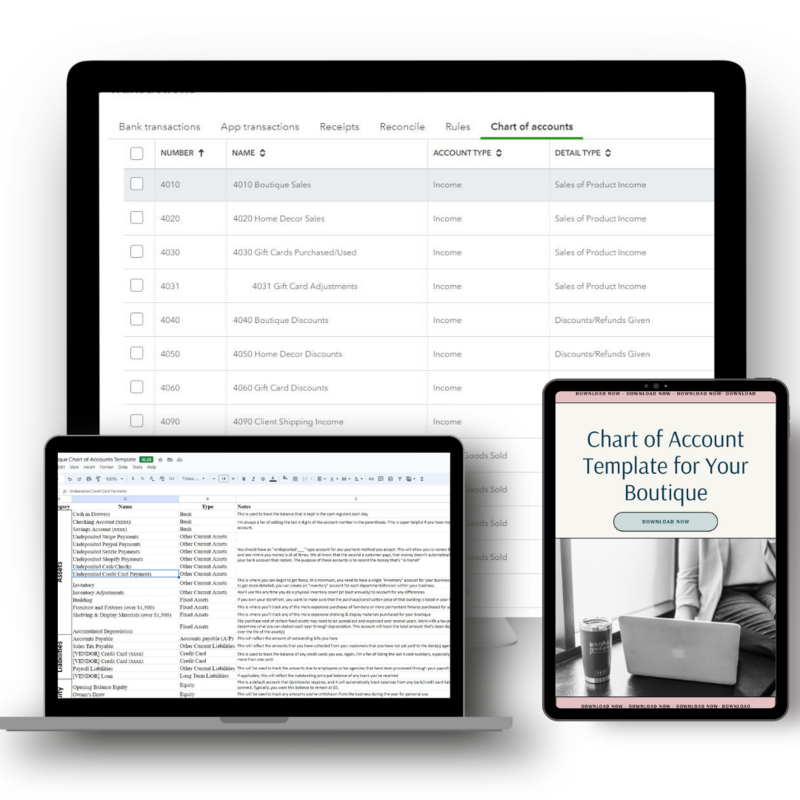
That journal entry captures your sales, your discounts, your returns, your sales tax, all of it, AND it records how each payment was actually collected, whether that's through Shopify, PayPal, cash, or whatever else you accept, using an “undeposited funds” bank account you set up for each payment processor in your chart of accounts.
Then, when the actual deposit hits your bank account a few days later, you just record that deposit as a simple transfer from your undeposited funds account for that processor. You don't need to break it apart again. The journal entry already did that work for you.
The $21,453.08 Story
I want to tell you about my very first boutique client, because this is exactly why I care so much about this stuff. Her previous bookkeeper had been using that free Shopify integration I just told you to avoid. When I took her on and rebuilt her bookkeeping using the journal entry method instead, I noticed something odd. She had a payment processor called Sezzle connected to her Shopify, but I never saw any Sezzle deposits actually hitting her bank account.
So I asked her about it. A few minutes later she texted me back in all caps. She had logged into her Sezzle account and found $21,453.08 just sitting there. She had no idea it had never been transferred to her bank account. She'd had this connected for years, and because Sezzle was such a small piece of her overall revenue, and her brick-and-mortar was doing so well, she never noticed the gap.
That's the power of doing this the right way. When you're manually tracking your sales AND reconciling your payment processor accounts against what's actually landing in your bank, you catch things like this. Without it, that money could have stayed missing indefinitely.
Now, obviously I can't promise you're going to have some big realization like this and find thousands of dollars you didn't know you had. But it CAN help you actually feel confident in the payouts you're receiving, and help you KNOW that every penny is accounted for and your bookkeeping is accurate.
The Takeaway
Both of these mistakes feel harmless in the moment. Recording deposits as sales seems logical enough, and the integration seems like it's saving you time. But they quietly cost you accuracy, and sometimes, they cost you REAL money you don't even realize is missing.
If this all sounds like exactly the kind of thing you've been avoiding because it feels overwhelming, or maybe you're a more visual learner who wants to actually SEE all of this in action so you can follow along, that's exactly why I built the Boutique Bookkeeping Bootcamp.
It's a live, 4-day training that kicks off this coming Monday, running September 14th through the 17th, and it walks you step by step through my recommended process of getting your sales data into QuickBooks the right way, and reconciling your payment processors so you know, for certain, that you're not missing money like my client almost did.
If you're new to QuickBooks, I've also included some QuickBooks setup trainings so you can be all set up and ready to go before the 14th. And if you're already in QuickBooks but you've been making one of these mistakes, there are videos to help you essentially undo them so we can all learn and implement together starting the 14th.
If you're finally ready to face this issue head on, head to findingfreedomfinancial.com/bootcamp to grab your spot.

view + leave comments . . .